 Gymtrack
Check-ins your clients answer in the app.
Build a form once and set when it’s due. Clients answer in the Gymtrack iPhone app, and you read each answer beside the last one.
Free for 14 days, then from $9.99 a month. Cancel before 12 December and pay nothing.

Nine kinds of question, seen as the client will.
Short or long text, one choice or several, a 0–10 scale, a number, yes or no, a date, or a figure from the client’s log. Up to 30 questions, any of them must-answer, with a preview of the form as it looks in the app.

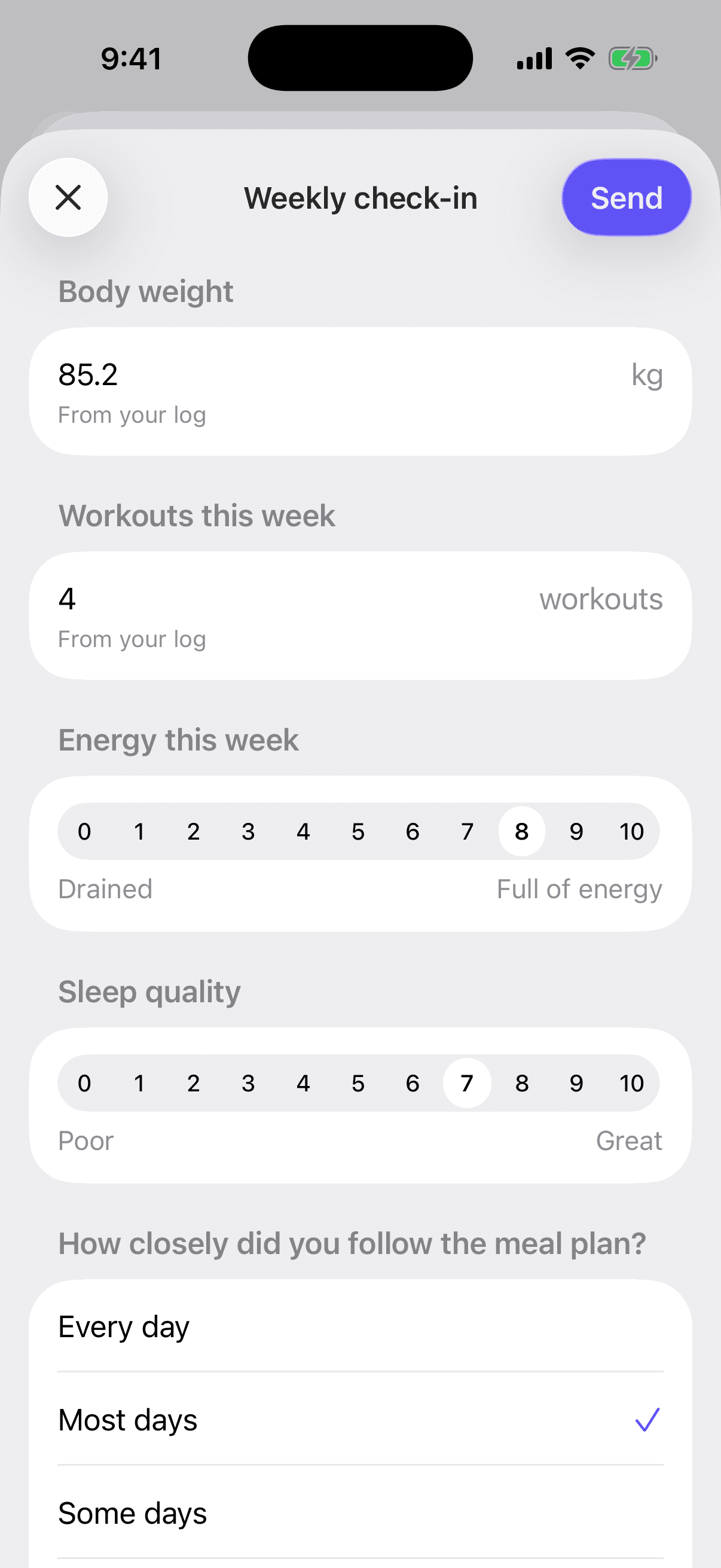
What your client fills in.
The check-in opens in their app. Body weight and workouts can come filled in from their log; they answer the rest and tap Send.
Every answer, check-in by check-in.
Open a client to see their body weight on a chart and each check-in they’ve answered in its own row, newest first.

Also in check-ins.
Schedules that fit
Once, every week up to every four weeks, or monthly on a day from 1 to 28.
Answers from the log
Body weight, workouts completed and training volume can fill in from the client’s log.
One form, many clients
Assign the same form to any of your clients.
Late ones are flagged
Unanswered check-ins show under the bell icon, so you know who to ask.
Questions
About check-ins.
How do clients answer?
In the Gymtrack iPhone app, once they’ve accepted your invite.
Can I change a form clients already have?
Yes. A client who has it open when you change it is asked to check their answers before sending.
Do my clients pay for the app?
No. The app is free for them while they train with you.
What does it cost?
From $9.99 a month for one client to $99.99 for up to 50. Every plan starts with 14 days free and a card to start: cancel before the first charge and pay nothing. After that, cancel any time and your plan runs to the end of the period you paid for.
Start with your first client.
Free for 14 days, then from $9.99 a month. Cancel before 12 December and pay nothing.